
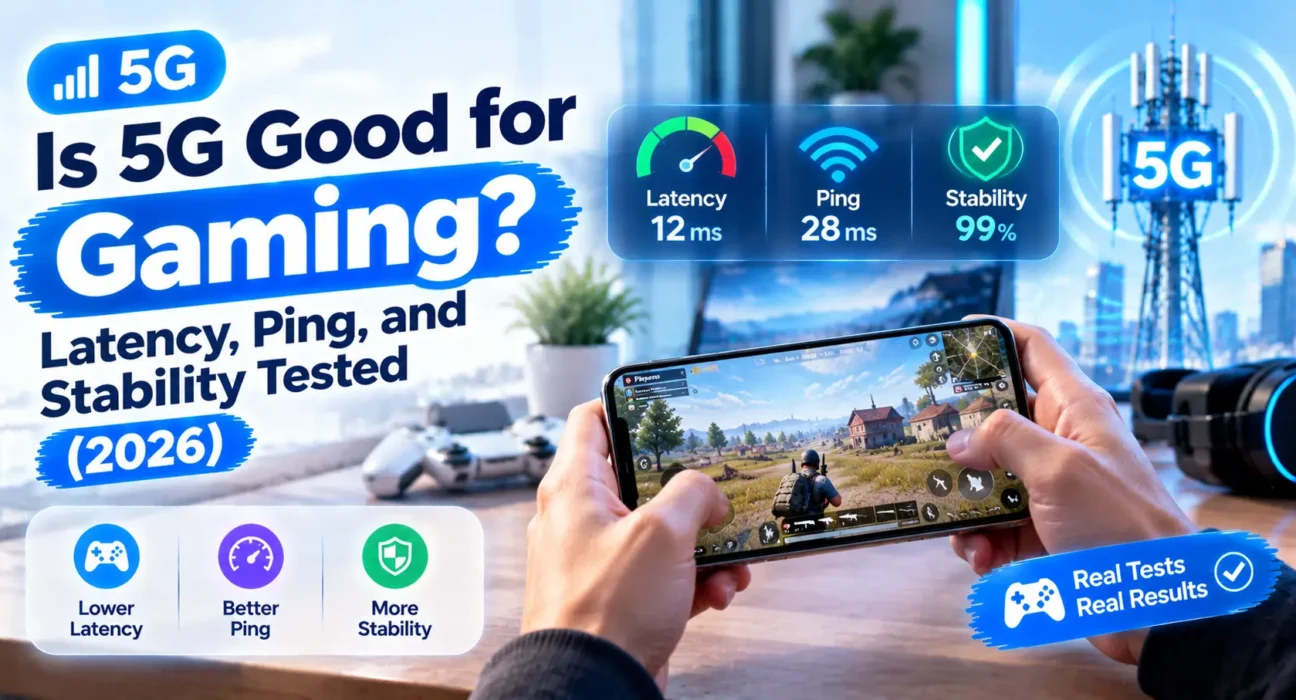
Is 5G Good for Gaming? Latency, Ping, and Stability Tested (2026)
Last updated: October 2026 · Category: How-To Guides · 13 min read
Ping and jitter figures drawn from independent gaming-connection testing (SpeedTestHQ 2026), Speedtest median data, provider-published specifications, and NVIDIA’s official cloud gaming requirements as of October 2026. Results vary by carrier, location, and time of day — treat these as ranges, not guarantees.
You’re in the middle of a ranked match, your shots feel a half-second late, and the lag spike hits right when you need it least. Before you blame your teammates, it’s worth asking whether your internet connection is the problem — especially if you’re gaming on 5G home internet instead of a cable or fiber line.
Here’s the honest answer most people need: 5G is good enough for casual gaming, and it’s a legitimate option for a lot of households. But it’s not a fiber replacement for competitive play, and the gap shows up in exactly the places that matter most in a fast-paced game — consistency, jitter, and what happens when the neighborhood gets busy at 8 p.m.
Work through this guide and you’ll know exactly which games 5G can handle, where it starts to struggle, and how to test your own address before you commit.
⚡ Quick Answer — Is 5G Good Enough for Your Games?
If you only read one section:
- Casual and single-player games with online features: 5G works well. Fortnite, Minecraft, Roblox, and most console titles run fine on a typical 5G home connection.
- Competitive shooters and fighting games: 5G is risky. Valorant, CS2, and other ping-sensitive titles punish the jitter and latency spikes 5G can produce during busy hours.
- Cloud gaming: Fiber is the strongest choice. 5G can work, but variable delay shows up as stutter and input lag.
5G home internet typically lands around 25–45 ms of ping, while fiber sits closer to 3–10 ms. For casual play, that gap barely matters. For competitive play, the consistency matters more than the average.
🔍 Which Connection Fits Your Gaming Style?
| Your Situation | Best Connection | Why |
|---|---|---|
| Casual gamer, mostly console or Fortnite/Minecraft | 5G home internet | Good enough ping, no contract, easy setup |
| Competitive shooter player (Valorant, CS2) | Fiber | Lowest and most stable ping |
| Cloud gaming (Xbox Cloud, GeForce Now) | Fiber, then cable | Steady delivery matters more than speed |
| Fiber isn’t available at your address | 5G home internet | Strong alternative to DSL or weak cable |
| Budget competitive gamer | Cable | Good ping at lower cost than fiber in many markets |
| Gaming on the go | 5G phone hotspot | Only realistic option away from home |
✅ Connection Types — Ranked by Gaming Performance
Ranked using typical latency, jitter, and peak-hour stability across independent testing (SpeedTestHQ 2026) and provider data.
| Connection | Typical Ping | Jitter | Packet Loss | Peak-Hour Impact | Gaming Verdict |
|---|---|---|---|---|---|
| Fiber (FTTH) | 3–10 ms | < 1 ms | 0–0.1% | Minimal | Best for all gaming |
| Cable (off-peak) | 15–35 ms | 3–10 ms | 0–0.3% | Moderate | Good for most, including competitive |
| 5G home internet (mid-band) | 25–45 ms | 5–15 ms | 0.2–1.5% | Noticeable | Casual and mid-tier gaming |
| 5G home internet (peak hour) | 60–120 ms | 25–60 ms | Up to 1.5% | Significant | Poor for real-time apps |
| 5G on a phone hotspot | Varies widely | High | Variable | Significant | Emergency or on-the-go only |
Figures reflect typical ranges based on SpeedTestHQ 2026 reports and provider-published specifications. Your own address and time of day will change the numbers — test before deciding.
Why Latency Isn’t the Whole Story
Most people look at average ping and call it a day. That’s a mistake. A connection averaging 20 ms with 2 ms of jitter stays between 18 and 22 ms, which feels smooth and predictable. A connection averaging 20 ms with 15 ms of jitter bounces between roughly 5 and 35 ms — and in a fast game, that swing is what makes your shots feel like they’re landing late.
5G home internet tends to show more jitter than fiber because it runs over a shared wireless network. When your neighborhood tower fills up in the evening, the variation grows. That’s why the average ping on 5G can look fine while the actual play experience feels inconsistent. For reference, here’s what different game types actually need:
| Game Type | Max Playable | Competitive | Pro Level | Examples |
|---|---|---|---|---|
| Turn-based / strategy | 200 ms | 100 ms | 50 ms | Civilization, chess, card games |
| MOBA | 100 ms | 50 ms | 20 ms | League of Legends, DOTA 2 |
| Battle Royale | 80 ms | 40 ms | 20 ms | Fortnite, PUBG, Warzone |
| First-person shooter | 60 ms | 30 ms | 15 ms | CS2, Valorant, Overwatch 2 |
| Fighting games | 50 ms | 20 ms | 10 ms | Street Fighter 6, Tekken 8 |
That’s the real problem with 5G for competitive gaming. On a good day at a good location, 5G can hit 25–30 ms — technically playable for shooters. But if your jitter is 20 ms, your effective ping swings between 10 and 50 ms. That inconsistency is what gets you killed in a firefight.
🛠️ The 7 Fixes
Test Your Own Ping and Jitter Before Deciding
Carrier marketing rarely mentions jitter, and average ping hides the problem. Before committing to 5G for gaming, run a speed test with a tool that reports ping and jitter — Speedtest, SpeedTestHQ, or your gateway’s built-in diagnostic — at two times: once in the morning or late at night, and once during your normal evening gaming hours (7–10 p.m.).
Compare the two. If your jitter climbs sharply in the evening, 5G will feel inconsistent in competitive games even if the average looks acceptable. The SpeedTestHQ 2026 report showed that 5G jitter can jump from 5–15 ms during off-peak hours to 25–60 ms during tower congestion — a 3–4x increase that’s invisible on a single daytime test. Run a sustained test of at least 10 minutes, not a one-second check. Loss and jitter are intermittent, and a quick test can miss them entirely.
Match the Connection to the Game
Not every game punishes a connection equally. Turn-based games, single-player titles with online features, and most console multiplayer titles are forgiving. Fast shooters and fighting games are not. Think of 5G as a solid fit for the first group and a risky bet for the second.
Here’s what the data says: competitive shooters like CS2 and Valorant want under 30 ms ping with low jitter. Fighting games like Tekken 8 want under 20 ms. 5G home internet averages 25–45 ms with 5–15 ms of jitter — technically within range for shooters on a good day, but the jitter pushes you outside the competitive window regularly. If you play mostly the second group, a fiber or cable line will serve you better, even if 5G costs a little less.
Use a Wired Connection Where You Can
Even on a strong 5G home connection, Wi-Fi adds its own variability. If your gateway has an Ethernet port, plug your console or PC directly into it. That removes Wi-Fi from the equation and gives your game the steadiest connection the gateway can deliver.
Most home packet loss actually happens inside your home, not on the ISP path. Wi-Fi interference, distance from the router, and channel congestion cause more loss than the tower does for a typical household. Testing over Ethernet first is the fastest way to find out whether your problem is the 5G signal or your home Wi-Fi setup. For more on getting the most out of your gateway, see our guide on how to speed up 5G home internet.
Close Background Downloads and Streams
A game update downloading in the background, a streaming app running on another device, or a cloud backup syncing can all eat into the bandwidth your game needs. Pause large downloads and limit streaming on other devices during matches.
This matters more on 5G than on fiber because the upstream is shared. When your connection saturates, packet loss spikes — the same mechanism behind bufferbloat. A connection that shows 0% packet loss when idle can lose packets once the upstream is full. Even 1–2% sustained loss is enough to degrade competitive gaming, while web pages may still feel fine. This won’t fix a bad tower, but it removes a common self-inflicted source of lag.
Play at Off-Peak Hours When You Can
Cell towers serve everyone connected to them, so a busy evening means slower, less consistent service for everyone on the same tower. If your schedule allows, playing competitive matches earlier or later in the evening often gives noticeably steadier results.
This is a workaround, not a fix — but it’s the most effective change many people can make without buying new hardware. In practice, the 7–10 p.m. window on weeknights is consistently the worst time for 5G fixed-wireless performance. Testing at 2 p.m. versus 9 p.m. can show a 40–60 ms difference in ping and a 2–3x difference in jitter. If you can’t change when you play, at least know what to expect.
Compare 5G Against Cable Before Committing
Cable often delivers better gaming performance than 5G at a similar or lower price, especially at peak hours. In SpeedTestHQ’s 2026 ISP rankings, cable providers like Xfinity and Spectrum averaged 15–18 ms ping with 4–5.5 ms jitter, while T-Mobile and Verizon 5G Home averaged 38–42 ms ping with 12–14 ms jitter.
That’s roughly double the latency and triple the jitter — a meaningful difference for competitive play, even if both look “fine” for casual gaming. Before signing a 5G contract for gaming, check whether cable is available at your address and compare the two on the same evening. Our full breakdown is in 5G Home Internet vs. Cable.
Check Cloud Gaming Requirements
Cloud gaming streams video in both directions in real time, so jitter and packet loss show up as visible stutter and input lag. If you plan to use Xbox Cloud Gaming, GeForce Now, or similar services, 5G can work on a strong connection, but fiber is the safer choice.
NVIDIA’s official GeForce Now requirements call for under 80 ms of network latency from their data center — a bar that 5G can clear on a good day but not reliably during peak hours. NVIDIA also recommends a hardwired Ethernet connection or a 5 GHz Wi-Fi connection. If you’re using 5G for cloud gaming, run the service’s built-in network test at 8 p.m. on a weeknight, not at noon. That’s the number that matters.
📋 Quick Summary Table
| Gaming Need | Recommended Fix or Choice |
|---|---|
| Casual online play | 5G home internet works well |
| Competitive shooters | Fiber, or cable at off-peak times |
| Consistent ping | Test jitter, not just average ping |
| Wi-Fi lag | Wired Ethernet connection |
| Background lag | Pause downloads and streams |
| Peak-hour slowdown | Play off-peak when possible |
| Choosing between 5G and cable | Compare on the same evening |
| Cloud gaming | Fiber first, then cable |
💡 WekyTech Tip
Before you sign up for 5G home internet for gaming, run a 20-minute ping and jitter test at 8 p.m. on a weeknight, and note the jitter number, not just the ping. If jitter stays under about 10 ms, 5G will likely feel fine for most games. If it regularly climbs past 20 ms, stick with fiber or cable for anything competitive. Also test over Ethernet first — most packet loss happens inside your home, not on the tower.
❓ FAQ — Is 5G Good for Gaming
Is 5G home internet good for gaming?
For casual and mid-tier gaming, yes. It delivers roughly 25–45 ms of ping, which handles most console titles, Fortnite, Minecraft, and Roblox well. For competitive shooters and fighting games, fiber or cable is the safer choice. SpeedTestHQ’s 2026 data ranks T-Mobile Home at 38 ms average ping with 12 ms jitter, and Verizon 5G Home at 42 ms with 14 ms jitter — both “variable” for competitive play.
Is 5G faster than fiber for gaming?
No. Fiber typically delivers lower ping (3–10 ms) and far more consistent jitter (under 1 ms). 5G can hold its own on average ping for casual play, but it doesn’t match fiber’s stability. Fiber also delivers symmetric upload and download speeds, which matters for cloud gaming and live streaming.
Why does my 5G ping spike in the evening?
Cell towers share their capacity across everyone connected to them. When the neighborhood is busy at peak hours — typically 7–10 p.m. on weeknights — the network slows down and variability increases, which shows up as ping spikes and jitter. SpeedTestHQ’s 2026 report found that 5G jitter can jump from 5–15 ms off-peak to 25–60 ms during congestion, and packet loss can climb to 1.5% under load.
Is 5G good for cloud gaming?
It can work on a strong connection, but cloud gaming is sensitive to jitter and packet loss. NVIDIA’s GeForce Now requires under 80 ms of network latency and recommends a wired Ethernet connection or 5 GHz Wi-Fi. Fiber is the safer choice, with cable as a solid second option. On 5G, run the service’s built-in network test at 8 p.m. to see your real-world numbers.
Does 5G reduce ping compared to 4G?
Generally, yes. 5G typically delivers lower latency than 4G LTE, though the actual improvement depends heavily on your local network and congestion at the time you play. However, if your carrier uses Dynamic Spectrum Sharing (DSS) to run 5G and LTE on the same low-band frequencies, your “5G” connection can actually be slower than LTE alone during peak hours.
Should I buy 5G home internet just for gaming?
Only if fiber and cable aren’t options at your address, or your gaming is mostly casual. If competitive play is a priority, compare all available connections on the same evening before committing. Cable often delivers better gaming performance than 5G at a similar or lower price — Xfinity and Spectrum averaged 15–18 ms ping in 2026 testing, versus 38–42 ms for 5G home internet.
Final Thoughts
5G is good for gaming in the sense that it’s playable for most people, most of the time. It just isn’t the best connection for fast, competitive play, and its weak spot is consistency rather than the headline ping number.
The data from 2026 makes this clear: 5G home internet averages 25–45 ms ping with 5–15 ms jitter, while fiber sits at 3–10 ms with under 1 ms jitter. For casual gaming, that gap barely matters. For competitive play, the jitter is what gets you killed — and it gets worse every evening between 7 and 10 p.m.
Test your own jitter at peak hours, match the connection to the games you actually play, and compare against cable and fiber before you sign anything. If your gaming is casual, 5G will likely serve you well. If it isn’t, fiber is still the connection to beat.