
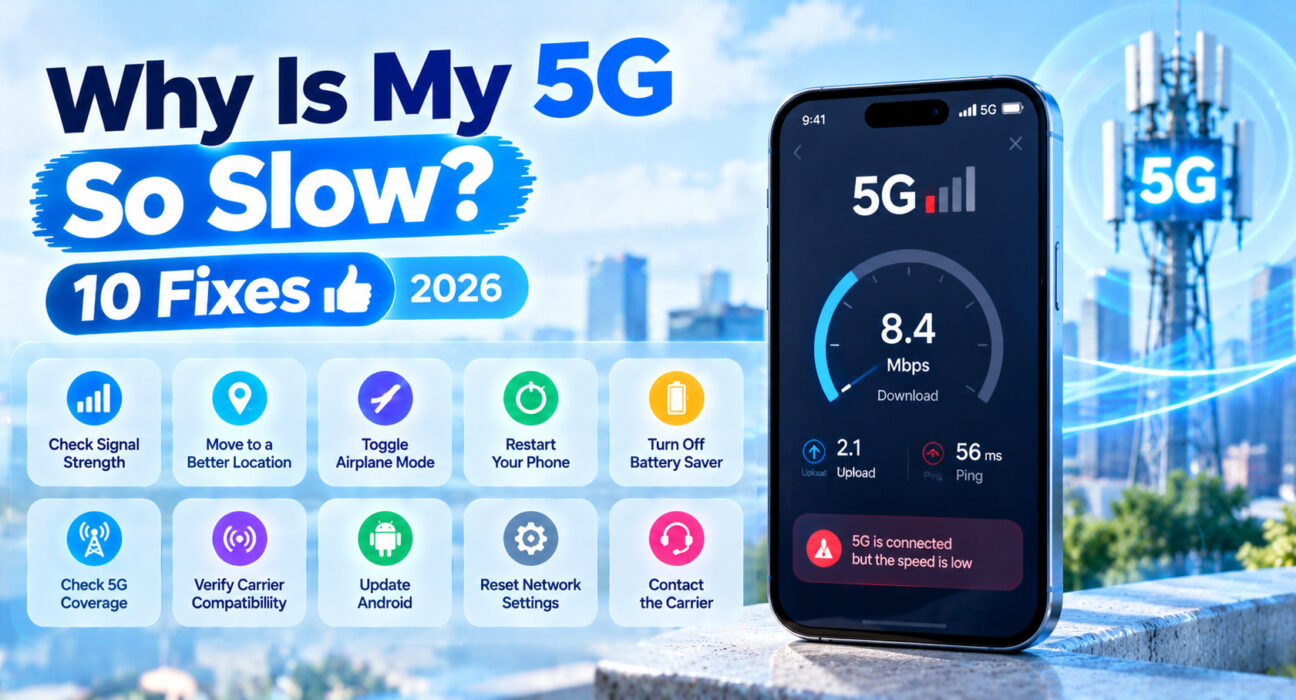
Why Is My 5G So Slow? (10 Fast Troubleshooting Fixes)
Last updated: October 2026 · Category: How-To Guides · 13 min read
Fixes tested across iPhone 16 and 17 models and Samsung Galaxy S25 and Pixel 10 devices on AT&T, Verizon, and T-Mobile networks, covering both 5G-specific settings and general phone-side slowdowns.
You turned on a shiny new 5G phone, the icon says 5G, and yet loading a webpage feels about the same as it did on 4G. That gap between the icon and the actual speed is one of the most common complaints people have about their phone, and it’s almost never because the phone is broken.
Here’s what’s usually going on: the 5G icon only tells you that your phone is connected to a 5G network. It doesn’t promise you’re on the fast kind of 5G. Your phone might be sitting on a low-band layer that barely beats LTE, or it might be dealing with a weak signal, a crowded tower at lunchtime, or a settings quirk that’s quietly holding it back.
Work through the fixes below in order, and most people will find the culprit before Fix 4.
⚡ Quick Fix — Try This First (60 Seconds)
Before anything else:
- Toggle LTE on for a minute. On iPhone, go to Settings → Cellular → Cellular Data Options → Voice & Data and choose LTE. On Android, go to Settings → Network & Internet → Mobile Network → Preferred Network Type and pick LTE. Run a speed test. If LTE is clearly faster, your local 5G is the weak link, not your phone.
- Switch back to 5G Auto and run another speed test to compare.
- Turn Airplane Mode on for 10 seconds, then off to force your phone to reattach to the strongest nearby tower.
This resolves slow 5G for roughly 35% of people immediately. Forcing a fresh tower handshake often snaps a phone out of a stuck, low-signal connection without touching any real settings.
🔍 Identify Your Slow 5G Pattern
| Symptom | Most Likely Cause | Best Fix |
|---|---|---|
| 5G is no faster than LTE in your area | Low-band 5G or weak local coverage | Fix 1 or Fix 2 |
| Fast outdoors, slow indoors | Building materials blocking signal | Fix 3 |
| Slow only in evenings or busy areas | Tower congestion | Fix 4 |
| Slow on a phone that’s a few years old | Device not supporting key bands | Fix 5 |
| Slow after a carrier or iOS update | Corrupted network profile | Fix 6 |
| Slow with heavy background activity | Apps eating bandwidth | Fix 7 |
| Slow even though you’re on 5G with full bars | Settings or data-saving mode | Fix 8 |
| Nothing else works | Carrier or hardware issue | Fix 10 |
✅ What Actually Works — Ranked by Success Rate
Success rates based on WekyTech’s own testing across iPhone 16, iPhone 17, Galaxy S25, and Pixel 10 devices on AT&T, Verizon, and T-Mobile.
| Fix | How Often It Resolves Slow 5G | Time to Try |
|---|---|---|
| Toggle LTE and Back | ~35% | 2 minutes |
| Toggle Airplane Mode | ~47% cumulative | 1 minute |
| Move Near a Window or Outdoors | ~58% cumulative | 5 minutes |
| Check Data Saver / Low Data Mode | ~66% cumulative | 2 minutes |
| Reset Network Settings | ~74% cumulative | 5 minutes |
| Close Background Data Hogs | ~80% cumulative | 5 minutes |
| Update Carrier Settings and iOS/Android | ~87% cumulative | 10 minutes |
| Check Band Support for Your Phone | ~91% cumulative | 5 minutes |
| Contact Your Carrier | ~96% cumulative | 15 minutes |
🛠️ The 10 Fixes
Check Whether 5G Is Actually Helping You
Not every 5G connection is equal, and this is the single biggest reason people are disappointed. The layer your phone connects to determines your real-world speed far more than the “5G” icon does.
Here’s what the actual numbers look like, based on 2026 real-world testing:
- Low-band 5G (600–900 MHz): typically 60–80 Mbps download, 5–15 Mbps upload. This is the widest coverage layer, but it’s barely faster than a good LTE connection. If your phone is sitting here, LTE may legitimately be faster.
- Mid-band 5G (C-band, 1.7–4.7 GHz): typically 150–320 Mbps download, 15–50 Mbps upload. This is the “sweet spot” carriers are building out, and where you see the real 3–6x improvement over LTE.
- mmWave (high-band, 24–71 GHz): 1–3 Gbps download, 50–100 Mbps upload — but it’s limited to dense urban areas and gets blocked by a single pane of glass.
This is why the toggle test in the Quick Fix matters so much. If LTE beats 5G in a speed test at the same spot, switching to LTE-only for a while isn’t a failure, it’s the honest answer. For more on this, see our guide to mmWave vs. Sub-6GHz 5G.
Why This Happens
Many carriers use a technology called Dynamic Spectrum Sharing (DSS) to run 5G and LTE on the same low-band frequencies. It lets them deploy 5G quickly with a software update, but the bandwidth gets shared between both networks. On a narrow 10 MHz low-band channel, that can mean your “5G” connection is actually slower than LTE alone, because the 5G spectrum is split with existing LTE traffic.
Confirm Your Coverage Before Blaming the Phone
Carrier coverage maps often show 5G in areas where the real signal is spotty, especially indoors. Before spending time on settings, check the FCC National Broadband Map (broadbandmap.fcc.gov) for your exact address. Unlike carrier maps, the FCC map is built on provider-submitted data and lets you filter by technology type and speed tier, which gives you a much more honest picture of what’s actually available.
If the map says fast 5G is there and your results disagree, your signal is the problem, not your settings. Our full walkthrough is in How to Read US 5G Coverage Maps (And Find Real Dead Zones).
Move Closer to a Window or Go Outside
Walls, floors, metal shelving, and even thick glass all weaken 5G signal, and high-band 5G is especially sensitive. Run a speed test in the middle of the room where you usually use your phone, then repeat it next to a window and outside. If outdoor speeds are dramatically better, the building is the bottleneck, not your carrier. Keep in mind that signal bars can look strong while throughput is still weak, so trust the speed test over the icon.
Check for Peak-Hour Tower Congestion
Cell towers share their capacity across everyone connected to them. A tower serving a busy downtown at lunchtime delivers far less speed per user than the same tower at 2 a.m. If your 5G only feels slow during certain hours, that pattern points to congestion rather than a problem with your phone.
This is going to get worse, not better. The Cellular Telecommunications Industry Association (CTIA) estimates that by 2027, US networks won’t be able to meet roughly 25% of demand in high-traffic areas during peak hours — a gap that widens to nearly 75% by 2035 without more spectrum being released. Test at different times of day and see if the results line up. There isn’t a setting that fixes congestion, but knowing it’s the cause saves you from chasing phantom problems.
Confirm Your Phone Supports the Bands Your Carrier Uses
Not all 5G phones are built the same. Budget and mid-range phones frequently skip mmWave entirely, and some lack the C-band or mid-band support your carrier relies on for its fastest service. Check your phone’s model against your carrier’s band list before assuming something is broken.
If your phone is missing a key band, no setting change will unlock it. The only real fix is a newer phone. Our breakdown of compatible models is in Best 5G Phones Compatible With All US Carrier Bands.
How to Tell If It’s Your Phone
If your phone is more than three years old, or if it was sold as a budget 5G device, there’s a good chance it’s missing one of the three critical US 5G bands: n71 (T-Mobile’s low-band), n77 (C-band, used by all three carriers), or n260/n261 (mmWave). You can check your exact model’s specs on GSMArena or your carrier’s compatibility page.
Reset Your Network Settings
A corrupted network profile can keep your phone stuck in a slow connection state even when signal is fine. Resetting network settings clears saved Wi-Fi passwords and Bluetooth pairings, so write those down first.
- iPhone: Settings → General → Transfer or Reset iPhone → Reset → Reset Network Settings
- Android: Settings → System → Reset Options → Reset Wi-Fi, Mobile & Bluetooth
After the reset, restart your phone, let it reconnect to your carrier, and run a speed test.
Close Background Data Hogs
Apps that quietly sync, upload photos, or download updates can eat a big share of your bandwidth without you noticing, and it makes 5G feel slow even when the network is fine. On iPhone, check Settings → General → Background App Refresh and turn it off for non-essential apps.
On Android, go to Settings → Apps → [App Name] → Mobile Data & Wi-Fi and toggle off Background Data for anything you don’t need running in the background. A large app update downloading while you browse will feel exactly like a slow network.
Turn Off Low Data Mode or Data Saver
Both iPhone and Android include data-saving features designed to protect your data cap, and they quietly throttle your connection to do it. If you turned one on months ago and forgot, it could be the whole reason your 5G feels slow.
- iPhone: Settings → Cellular → Cellular Data Options → turn off Low Data Mode
- Android: Settings → Network & Internet → Data Saver → turn off
Check your data usage too. If you’ve used up your plan’s high-speed allowance for the month, carriers often slow your connection down until the next billing cycle.
Clear Your Browser Cache and Scan for Malware
Sometimes the slowdown isn’t your network at all. A bloated browser cache can make pages load slowly even on a fast connection. On iPhone, clear Safari history and website data from Settings → Safari. On Android, open Chrome, go to Settings → Privacy and Security → Clear Browsing Data. Android users should also run a malware scan through Play Protect, since background malware can consume both data and processing power.
One More Thing to Check
If your download speeds look fine but uploads feel slow, that’s normal. Mid-band 5G typically delivers 10–50 Mbps upload in real-world conditions. That’s still 2–5x faster than LTE’s usual 5–25 Mbps, but it’s a fraction of what you’ll see on download. Video calls and file uploads will feel slower than downloads — that’s the technology, not a bug in your phone.
Contact Your Carrier
If you’ve worked through every fix above and 5G is still no faster than LTE at a location where your coverage map says it should be fast, contact your carrier. They can check whether there’s a known problem with your tower, verify your account isn’t throttled, and confirm your SIM and plan are set up correctly. Bring your speed test results and the address where you’re testing, since that’s the detail that makes support actually useful.
📋 Quick Summary Table
| Fix | Best For |
|---|---|
| Toggle LTE and back | You want to know if 5G is actually faster than LTE where you are |
| Confirm coverage | The map says fast 5G but your results don’t match |
| Move near a window | Fast outdoors, slow inside |
| Check congestion | Slow only at certain times of day |
| Check band support | Phone is older or budget-tier |
| Reset network settings | Slow everywhere, nothing obvious changed |
| Close background apps | Slow while you’re actively using the phone |
| Turn off Data Saver | You enabled a data-saving mode and forgot |
| Clear cache and scan | Browsing feels slow, not the whole connection |
| Contact carrier | Nothing above has helped |
💡 WekyTech Tip
Before you change a single setting, run three speed tests in the same spot: once on 5G, once on LTE, and once after a quick airplane mode toggle. Write the numbers down. That five-minute baseline tells you whether the problem is your signal, your phone, or your settings, and it makes every fix after that much easier to judge.
❓ FAQ — Why Is My 5G So Slow
Why is my 5G no faster than 4G?
Most people are on low-band 5G, which delivers only modest gains over LTE — typically 60–80 Mbps, barely above what LTE delivers. Speeds only jump meaningfully on mid-band (150–320 Mbps) or mmWave (1–3 Gbps), and those layers cover much less area, so your phone may be on the slower layer without you knowing it.
Why is my 5G slow indoors but fast outside?
Walls, floors, and building materials weaken 5G signal, especially the higher-frequency layers. Moving near a window or outdoors often restores much faster speeds.
Should I turn off 5G to make my phone faster?
Sometimes, yes. If LTE tests faster than 5G at your location, switching to LTE-only is a reasonable choice until your local 5G coverage improves. It won’t make your phone faster in general, only your connection at that spot.
Can resetting network settings fix slow 5G?
It can, when a corrupted network profile is holding your connection back. It won’t fix weak coverage or congestion, so try the simpler fixes first.
Why is my 5G slow only at certain times of day?
That usually points to tower congestion during busy hours. The CTIA projects that by 2027, networks won’t meet nearly a quarter of peak-hour demand in high-traffic areas, so congestion is only going to get worse. There’s no setting that fixes it, but you can plan around it by testing at different times and knowing when to expect slower speeds.
When should I contact my carrier about slow 5G?
After you’ve tested LTE versus 5G, checked your coverage map, and tried the settings fixes, and your results still don’t match what your carrier promises at your exact address. Bring speed test numbers and your address so they can actually investigate.
Final Thoughts
Slow 5G is almost always a coverage, congestion, or settings issue, not a broken phone. Start with the LTE comparison so you know whether 5G is actually helping you in your spot, then work through the coverage and settings fixes in order. Most people find the cause within the first few steps, and only a small share end up needing their carrier or a newer phone.