
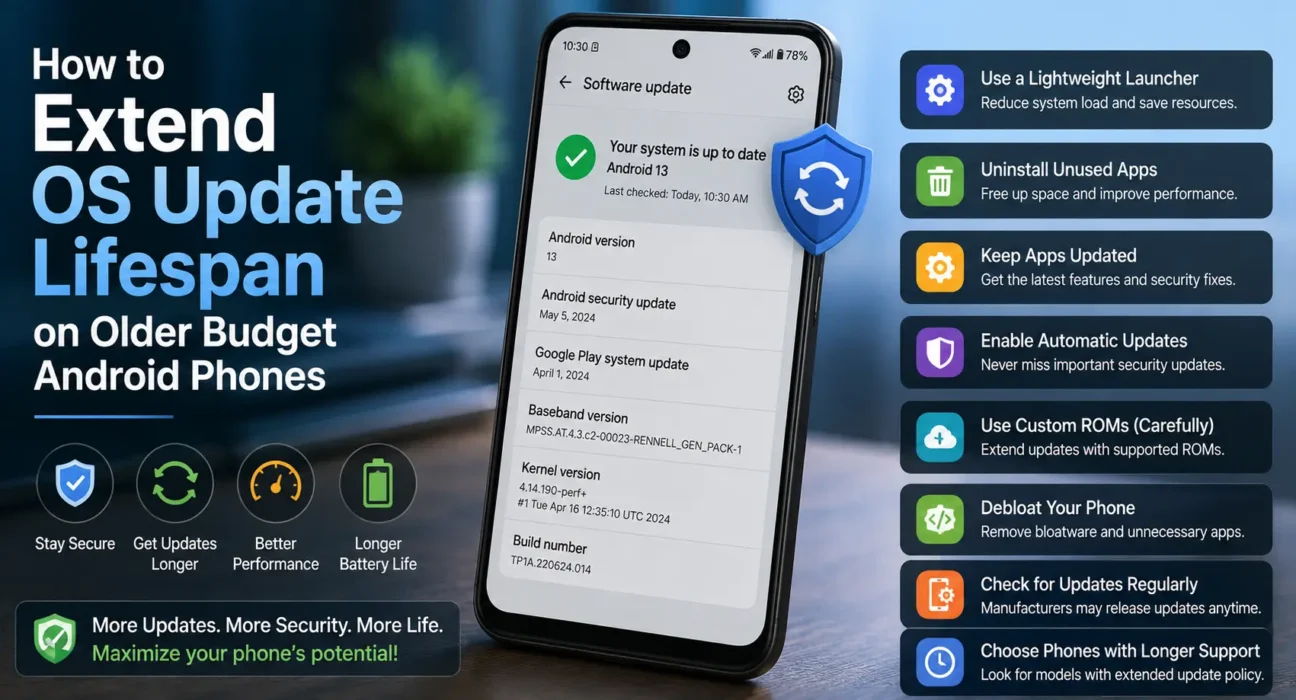
Every mobile device eventually reaches the end of its official software support cycle. Understanding how android security updates budget phones receive operate is essential for keeping your personal data safe as your hardware ages. While flagship devices often receive up to seven years of firmware upgrades, budget devices historically receive shorter support windows. Knowing how to verify your patch level and how to compensate for end-of-life (EOL) software support keeps your device secure without requiring an immediate upgrade.
Major OS Upgrades vs. Android Security Patches
Many users confuse Android version upgrades with monthly security patches, but they serve two fundamentally different engineering roles:
- Major OS Upgrades (Android 14 to Android 15): These release annually, bringing redesigned user interfaces, API changes for developers, new privacy toggles, and feature additions.
- Android Security Patch Levels: These monthly or quarterly packages contain targeted security fixes addressing newly discovered vulnerabilities in the Android Linux kernel, system libraries, and hardware drivers (Qualcomm, MediaTek, or Unisoc).
A budget device might stop receiving major Android version upgrades after one or two years while continuing to receive critical security patches for an extra year or two. Running an older Android version with an up-to-date security patch level remains a safe operational state.
How to Check Your Phone’s Current Patch Level
To determine whether your device is still receiving active software maintenance from its manufacturer:
- Open Settings > About Phone (or Settings > System).
- Tap Android Version or Software Information.
- Look for Android Security Update (or Security Patch Level) to view the exact date of your latest patch.
- Check Google Play system update under Settings > Security to see your current Project Mainline patch status.
You can also visit your manufacturer’s official security bulletin portal (such as Samsung Scope, Xiaomi Security Center, or Motorola Support) to check whether your specific model is categorized under Monthly, Quarterly, or End-of-Life (EOL) support schedules.
Why Software Support Windows Vary on Budget Devices
Hardware vendors structure software support periods based on chipset licensing, engineering costs, and device margins. Supporting an active device requires continuous driver testing alongside chipmakers like MediaTek or Qualcomm. However, competition in 2026 has pushed manufacturers to offer longer support timelines:
- Samsung Galaxy A-Series (e.g., A15, A25, A35): Offers 4 years of OS upgrades and up to 5 years of security patches.
- Google Pixel A-Series: Offers up to 7 years of full OS and security patch support.
- Motorola & Xiaomi Budget Tier: Typically offers 1 to 2 years of OS upgrades and 2 to 3 years of quarterly security patches.
For a full breakdown of current support policies across modern entry-level devices, review our guide on the best cheap Android phones under $200.

6 Ways to Extend Your Phone’s Safe Usable Lifespan
When your device reaches End-of-Life (EOL) status and no longer receives full system updates over-the-air (OTA), you can still maintain device security through alternative system layers.
1. Maintain Google Play System Updates (Project Mainline)
Since Android 10, Google uses Project Mainline to update core OS security components directly through the Google Play Store, bypassing the phone manufacturer entirely. Go to Settings > Security > Google Play system update and check for updates regularly. This keeps critical frameworks like Webview, Media Codecs, DNS Resolvers, and BoringSSL patched even if your OEM stops pushing full system updates.
2. Keep Chrome and System WebView Updated
The primary attack vector on outdated mobile software is the web browser and the system WebView component (which renders web content inside non-browser apps). Keeping Google Chrome and Android System WebView updated through the Play Store protects your device against drive-by web exploits.
3. Stick Strictly to the Official Google Play Store
Once OS-level security patches end, built-in system defenses are reduced. Avoid downloading APK files from third-party websites or untrusted stores. Ensure Google Play Protect is active in Play Store > Profile Icon > Play Protect > Settings to scan installed applications for malicious code.
4. Separate Sensitive Banking Apps
If your phone’s security patch level is more than two years out of date, refrain from storing sensitive financial applications or cryptocurrency wallets on that device. Use a secondary, actively supported device for banking, while keeping the older phone for media playback, navigation, and general communication.
5. Keep Internal Storage Capacity Free
System update engines require temporary cache space to download and uncompress system patches. If your internal flash memory is full, update installations will fail silently. Follow our guide to free up system storage on Android to maintain sufficient system headroom.
6. Avoid Unnecessary Rooting or Uncertified Custom ROMs
While custom ROMs like LineageOS can update the Android base version on older hardware, unlocking the bootloader breaks hardware-backed security (TrustZone/TEE) and disables Google Play Integrity certification. Unless you are an experienced developer, uncertified custom ROMs can increase security risks compared to stock software.
What Not to Do
- Do Not Ignore Play Store Component Updates: Never disable auto-updates for Google Play Services or System WebView on an older device.
- Do Not Disable Device Lock Screen Security: Disabling PIN, Pattern, or Biometric authentication leaves sensitive device storage unencrypted at rest.
- Do Not Use Third-Party “Security Cleaner” Apps: Avoid Play Store antivirus utilities that demand intrusive Accessibility Service permissions; they increase background CPU usage without replacing kernel-level patches.
FAQ
How long do android security updates budget phones receive usually last?
In 2026, budget Android phones receive between 2 and 5 years of security patches depending on the brand. Samsung and Google offer the longest support windows, while entry-level models from other brands typically offer 2 to 3 years.
Is it dangerous to use an Android phone that stopped receiving security updates?
Using an unsupported phone increases exposure to unpatched system vulnerabilities. However, updating Google Play System Updates, Chrome, and System WebView while avoiding unverified app downloads reduces the practical risk for basic daily tasks.
What happens if I don’t update my Android security patch?
Failing to install available security patches leaves known software vulnerabilities open to exploitation by malicious apps, compromised Wi-Fi networks, or malicious web scripts.
Can Google Play Protect replace monthly OS security patches?
No. Google Play Protect scans applications for malware signatures, but it cannot patch underlying Linux kernel bugs or hardware driver vulnerabilities—only official firmware patches or Project Mainline updates can fix system vulnerabilities.
Final Takeaway
Managing how android security updates budget phones receive operate allows you to maximize your hardware’s lifespan without compromising your privacy. By verifying your current security patch level, updating Google Play System components, keeping web browsers updated, and keeping internal storage clear, you can safely use your budget phone for years. For additional buying strategies, read our Ultimate Buyer’s Guide to Budget Android Phones in 2026.
Related Guides: Best Cheap Android Phones Under $200 · Refurbished Flagship vs New Budget Android Phone · How to Free Up System Storage on Budget Android Phones