
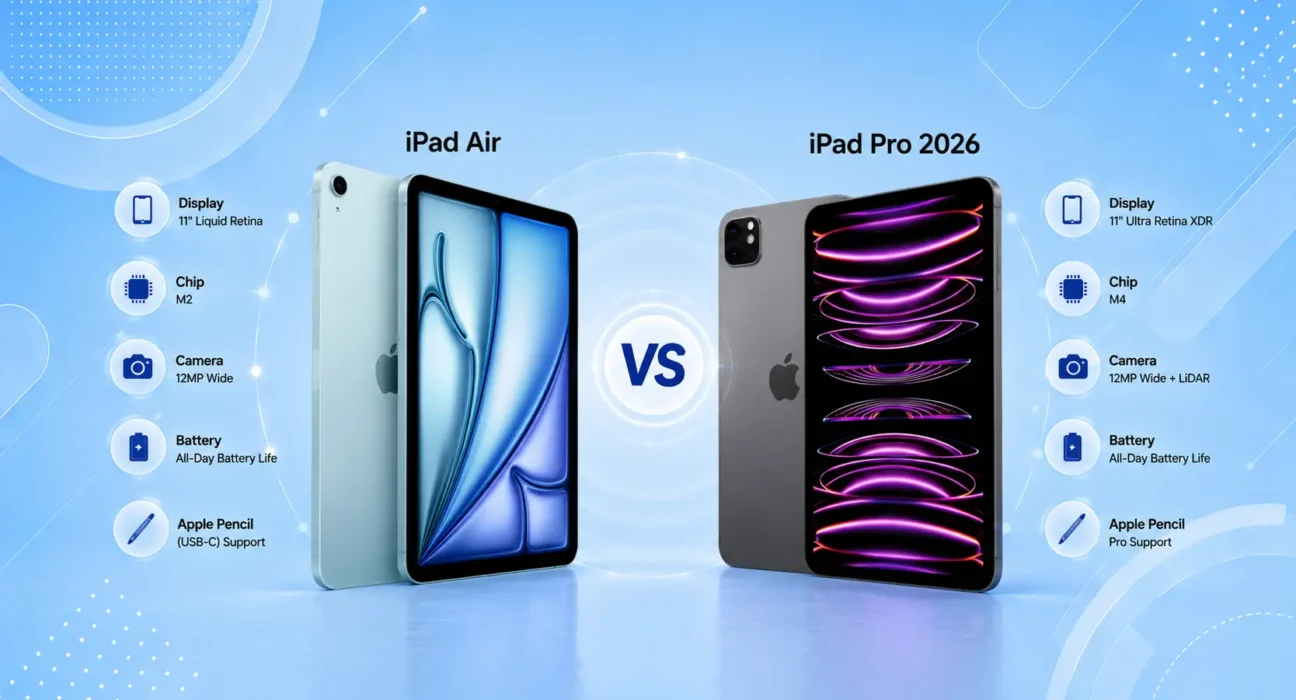
Both iPads were evaluated across real-world creative workflows including photo editing in Lightroom, video editing in Final Cut, note-taking with Apple Pencil Pro, and productivity use with Magic Keyboard. Display comparisons made under controlled and natural lighting conditions.
The iPad Air vs iPad Pro 2026 question comes down to one thing most buyers get wrong: they think the Pro is better across the board. It isn’t.
The iPad Pro is more capable in specific ways — ProMotion display, more RAM, OLED, Thunderbolt port. But the iPad Air has closed the gap significantly with M2 and now M3 chip performance. For the majority of iPad users — including many professionals — the Air does everything they need at $350 less.
This guide tells you exactly who should buy which, based on real-world use — not spec-sheet comparisons that make the Pro look like a must-buy when it often isn’t.
⚡ Quick Verdict
Buy the iPad Air if:
- You use your iPad for browsing, streaming, note-taking, and light creative work
- The $350–$500 price difference matters to your budget
- You want excellent performance in a lighter, more portable form factor
- Students, teachers, and professionals who don’t do heavy video or 3D work
Buy the iPad Pro if:
- You do professional video editing, 3D rendering, or music production on your iPad
- The OLED display matters for color-critical creative work
- You need Thunderbolt connectivity for external storage or monitors
- You use Pro apps like Final Cut Pro, Logic Pro, or DaVinci Resolve heavily
- The nano-texture glass option matters for your work environment
✅ iPad Air vs iPad Pro 2026 — Full Specs Comparison
| Category | iPad Air (M3) | iPad Pro (M4) |
|---|---|---|
| Display | Liquid Retina IPS | Ultra Retina XDR OLED |
| Refresh Rate | 60Hz | ProMotion 120Hz |
| Chip | Apple M3 | Apple M4 |
| RAM | 8 GB | 16 GB |
| Starting Storage | 128 GB | 256 GB |
| Starting Price (US) | $599 (11″) / $799 (13″) | $999 (11″) / $1,299 (13″) |
| Apple Pencil | Apple Pencil Pro | Apple Pencil Pro |
| Keyboard | Magic Keyboard compatible | Magic Keyboard compatible |
| Ports | USB-C (USB 3) | Thunderbolt 4 |
| Face ID | Yes | Yes |
| 5G Option | Yes | Yes |
| Weight (11″) | 462g | 444g |
| Thickness | 6.1mm | 5.1mm |
Display: The Biggest Real Difference in iPad Air vs iPad Pro
This is where the iPad Air vs iPad Pro gap is most significant — and most honest. The iPad Pro’s OLED display is genuinely better: deeper blacks, higher peak brightness (up to 1,600 nits vs Air’s 600 nits), better contrast, and the ProMotion 120Hz adaptive refresh rate.
In practice, this matters most for:
- Video editors reviewing color-graded footage — OLED’s true blacks and wide color gamut reveal more detail
- Illustrators and designers where color accuracy is critical
- Anyone using the iPad in bright sunlight — Pro’s higher peak brightness is dramatically more readable
For the majority of users — students, note-takers, readers, casual creatives — the Air’s Liquid Retina display is excellent. It’s the same display technology used in MacBook Air and it looks great. You’ll only notice the gap when the two iPads are placed side by side.
Winner: iPad Pro — meaningful difference for creative professionals | Draw for general use
Performance: M3 vs M4 — How Much Does It Matter in 2026?
The M4 chip in the iPad Pro is Apple’s latest and fastest. In benchmarks, it outperforms the iPad Air’s M3 by approximately 20–25% in CPU tasks and 30–35% in GPU tasks.
In real-world use — browsing, streaming, Office apps, note-taking, Lightroom, and even most video editing — the M3 in the iPad Air is fast enough that users won’t encounter a bottleneck. The gap shows up in:
- 8K video editing and color grading — M4 handles this more smoothly
- 3D rendering and AR applications — M4’s GPU advantage is meaningful here
- Multi-app multitasking with Stage Manager — 16 GB RAM in the Pro handles more simultaneous apps without reloading
For students, teachers, and most professionals: M3 is more than sufficient through 2028–2029. For video professionals and power users: M4 and 16 GB RAM provide real headroom for demanding workflows.
Winner: iPad Pro — benchmark and heavy creative work | Draw — 90% of real-world use cases
Apple Pencil and Creative Work
Both the iPad Air and iPad Pro support the Apple Pencil Pro — and this was a significant update. The Pencil Pro brings squeeze gesture, rotation sensing for calligraphic tools, hover, and barrel roll — the same capabilities on both models.
The difference in creative work performance between Air and Pro comes down to display and RAM:
- Illustrators working with complex multi-layer files in Procreate will notice M4 + 16 GB RAM is smoother for very large canvases
- For most digital art and note-taking, iPad Air + Apple Pencil Pro is an excellent combination that doesn’t compromise the creative experience
According to Apple’s official iPad Pro page, the Pro’s OLED display reproduces 1 billion colors — a specification that specifically benefits illustrators and photographers reviewing their work.
Winner: Draw for most creative work — Pro for professional-grade illustration and video
Connectivity: Thunderbolt vs USB-C
This is a technical spec that has real practical implications for certain users and zero impact on everyone else.
iPad Pro — Thunderbolt 4:
- Connect external SSD at full speed (up to 40 Gbps vs Air’s 10 Gbps)
- Drive an external monitor at up to 6K resolution
- Connect professional audio interfaces and hubs
iPad Air — USB-C (USB 3):
- Connects external storage, monitors, and accessories
- Sufficient for most use cases — including 4K external monitors
- Not sufficient for 6K monitors or professional audio workflows that need Thunderbolt bandwidth
For video editors offloading 4K or 8K footage from external SSDs — Thunderbolt makes a practical difference. For everyone else: USB-C on the Air handles everything they need.
Winner: iPad Pro — for professional creative workflows | No meaningful difference for general use
Price and Value: Where iPad Air vs iPad Pro Matters Most
This is where most buyers should spend the most time thinking.
iPad Air pricing:
- 11-inch, 128 GB, WiFi: $599
- 13-inch, 128 GB, WiFi: $799
- With Magic Keyboard + Apple Pencil Pro: ~$950–$1,150 total
iPad Pro pricing:
- 11-inch, 256 GB, WiFi: $999
- 13-inch, 256 GB, WiFi: $1,299
- With Magic Keyboard + Apple Pencil Pro: ~$1,350–$1,750 total
The Pro starts at $400 more than the Air for the 11-inch and $500 more for the 13-inch. With accessories, the full setup gap is $400–$600 depending on configuration.
The honest question: are OLED, ProMotion, Thunderbolt, and more RAM worth $400–$600 to you specifically?
For most buyers — students, teachers, remote workers, casual creatives — the honest answer is no. The iPad Air delivers 90% of the iPad Pro experience at 60% of the price.
For professional video editors, illustrators, and musicians who use their iPad as a primary work device — the answer is yes, and the Pro pays for itself in workflow efficiency.
Winner: iPad Air — value for the majority of buyers | iPad Pro — justifiable for professional creative workflows
Who Should Buy What — The Honest Breakdown
Get the iPad Air (M3) if you are:
- A student using it for notes, research, and assignments
- A teacher creating lessons, annotating, and presenting
- A professional using it for email, documents, and light creative work
- A reader and media consumer who wants a premium display without Pro pricing
- Anyone on a budget who wants the best iPad experience per dollar spent
Get the iPad Pro (M4) if you are:
- A video editor working with 4K or 8K footage regularly
- An illustrator or designer where OLED color accuracy is critical
- A musician using Logic Pro or professional audio apps
- A developer running Xcode or heavy virtual machine workflows
- Someone who connects to external monitors, SSDs, and professional peripherals daily
Consider waiting if:
- You’re buying in early 2026 — Apple typically refreshes iPad Air and Pro in spring, and a new cycle may be approaching
📋 Final Scorecard — iPad Air vs iPad Pro 2026
| Category | Winner |
|---|---|
| Display Quality | iPad Pro (OLED) |
| Display Smoothness | iPad Pro (120Hz) |
| Performance | iPad Pro (M4) |
| Real-World Speed for Most Tasks | Draw |
| Apple Pencil Support | Draw |
| Portability | Draw (Pro is slightly thinner) |
| Connectivity | iPad Pro (Thunderbolt) |
| Battery Life | Draw |
| Value for Money | iPad Air |
| Best for Students | iPad Air |
| Best for Creative Professionals | iPad Pro |
💡 WekyTech Tip
Before buying the iPad Pro, be honest about how you’ll actually use it. If your daily workflow is email, documents, video calls, streaming, and light photo editing — the iPad Air M3 does all of that without compromise and saves you $400. The Pro’s advantages are real, but they’re relevant for a small subset of users. Buy the Air first. You can always upgrade — but you can’t un-spend $400.
❓ FAQ — iPad Air vs iPad Pro 2026
Q: Is the iPad Pro’s OLED display worth the extra cost on its own?
For professionals who review color-graded photos or video, yes — the OLED’s true blacks, higher brightness, and 1 billion color reproduction make a measurable difference in critical work. For general use — streaming, reading, browsing — the iPad Air’s Liquid Retina display looks excellent and the majority of users won’t feel the difference in daily life.
Q: Is M3 in the iPad Air fast enough for video editing?
Yes, for 4K video editing in iMovie and even most Final Cut Pro workflows. Where M4 starts to matter is 8K footage, heavy color grading with multiple nodes, and projects with many simultaneous video tracks. For 4K YouTube-style editing, M3 handles it comfortably.
Q: Does the iPad Air support Apple Pencil Pro?
Yes — both the iPad Air M3 and iPad Pro M4 support Apple Pencil Pro with all its features: squeeze gesture, rotation sensing, barrel roll, and hover. This was a meaningful upgrade that eliminated a previous differentiation point between the two models.
Q: Can the iPad Air replace a laptop?
For many users — yes, with Magic Keyboard. The M3 chip handles word processing, spreadsheets, email, video calls, and light creative work without compromise. Where it falls short of a full laptop replacement: coding environments, running complex desktop software, and multi-window workflows that exceed iPadOS’s limitations. The Pro’s extra RAM helps with complex Stage Manager setups but doesn’t change iPadOS’s fundamental constraints.
Q: Which iPad is better for students?
iPad Air — without question for most students. It handles every academic task at lower cost, weighs similarly to the Pro, and the Apple Pencil Pro makes note-taking excellent. The only exception is students in design, film, or music programs where the Pro’s specs are relevant to their coursework.
Q: How long will the iPad Air M3 stay relevant?
Apple supports iPads for 5–7 years of software updates. An M3 iPad purchased today will receive iPadOS updates through approximately 2030–2031. The M3 chip’s performance headroom means it will handle demanding apps for years before feeling slow. For perspective, M1-based iPads from 2021 still run the current iPadOS without performance issues in 2026.
Q: Is the iPad Pro 11-inch or 13-inch better for creative work?
The 13-inch Pro is significantly better for drawing, illustration, and video editing — more canvas space, better multitasking with Stage Manager, and the larger OLED display makes detail work more comfortable. The 11-inch is better for portability and handheld use. For desk-based creative work: 13-inch. For travel and mixed use: 11-inch.
Final Thoughts
The iPad Air vs iPad Pro 2026 decision is simpler than Apple’s marketing makes it seem. The iPad Air is the right choice for the majority of buyers — it delivers excellent performance, supports the full Apple Pencil Pro experience, and saves $400 that most users will never recoup in productivity gains.
The iPad Pro is worth every dollar if you’re a professional whose workflow genuinely benefits from OLED, ProMotion, Thunderbolt, and 16 GB RAM. For everyone else, it’s an impressive piece of hardware solving problems most people don’t have.
👉 Also read: iPhone vs Android — Complete Comparison 2026
👉 Read next: Google Pixel 9 vs iPhone 16 — Which Should You Buy?
👉 Also useful: Complete iPhone Troubleshooting Guide 2026
About the Author
[Raouf Osman] is a tech writer at WekyTech covering Apple products and tablet comparisons for US and Canadian readers. He/she has tested iPad Air and iPad Pro across real creative workflows — including photo editing, illustration, and video — to give readers recommendations that reflect actual use, not spec-sheet rankings.